
PENNATE WORKSPACE
Give your landscape project a working record.
Keep goals, site conditions, photos, measurements, inspiration, plant preferences, drawings, PDFs, and other project files together in one project record.
Use Workspace to organize the project for yourself, or use the same record with Pennate when you want design or advisory help.

01 / WHY WORKSPACE
A landscape project is not a folder of files.
The useful record includes what you want to change, what already exists, what the site allows, what you like, what has been measured, and what has already been uploaded.
Workspace keeps those pieces attached to the same project instead of scattering them across email, texts, notes, camera rolls, downloads, and unrelated folders.
02 / PROJECT RECORD
Keep the pieces that shape the project together.
01
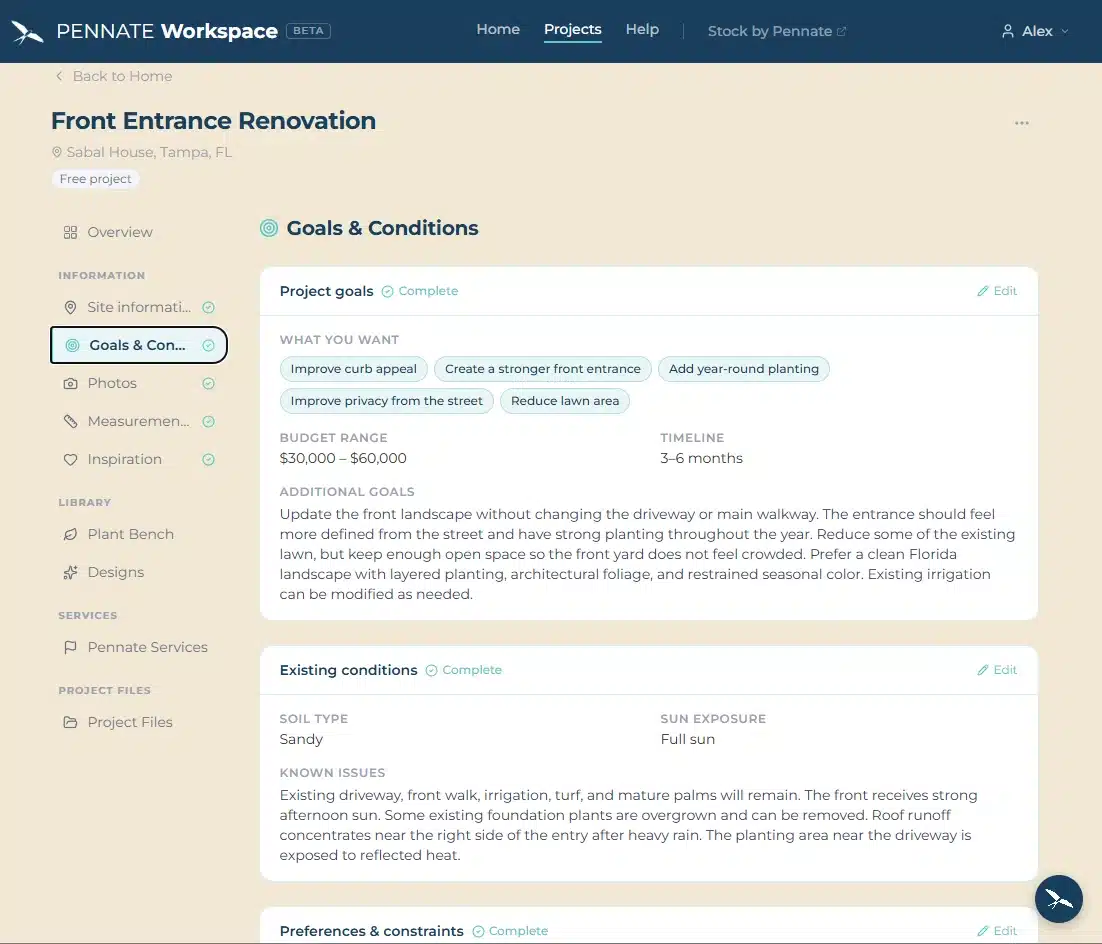
Goals + conditions
What the landscape needs to do and the conditions it must work within.
02
Photos + measurements
Visual context and dimensions that define the existing site.
03
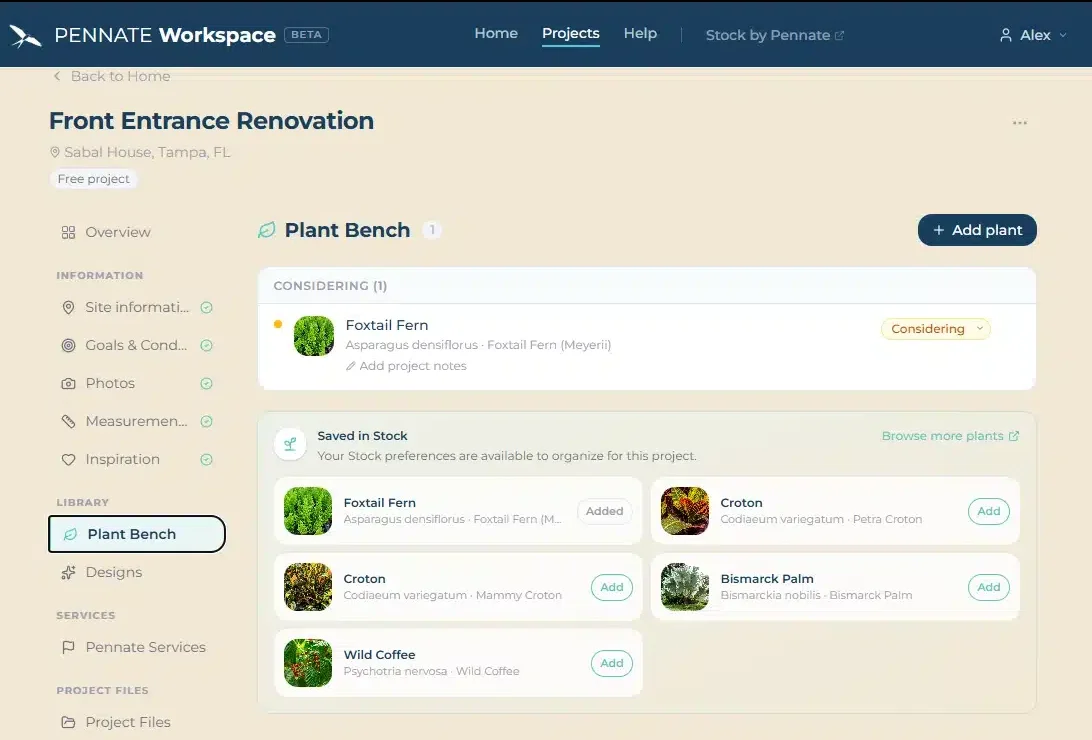
Moodboard + plant preferences
Inspiration, plant ideas, selections, and references that help define direction.
04
Drawings + project files
Surveys, drawings, PDFs, documents, references, and other files that belong with the work.
03 / USE IT YOUR WAY
Keep it for yourself. Bring in Pennate when you want help.
You do not need to buy a design service to create a Workspace. Use the project record to organize your own planning, collect ideas, save documents, and keep site information in one place.
When you want Pennate involved, the same project record can become the starting point for design or advisory work.
04 / HOW IT WORKS
Start with what you know.
- Create the project. Give the work a defined place.
- Add what you know. Record site information, preferences, photos, measurements, moodboard material, and files as they become useful.
- Use the record. Keep it for yourself or use it as the starting point when Pennate design or advisory work begins.
05 / CONNECTED TO PENNATE
Workspace is one part of the Pennate system.
01
PLANTS
Stock by Pennate
Explore plants and build a clearer record of your plant preferences.
02
KNOWLEDGE
Learning Center
Use Pennate guides to understand site conditions, plants, drainage, irrigation, and other decisions that affect landscape performance.
03
DESIGN + ADVISORY
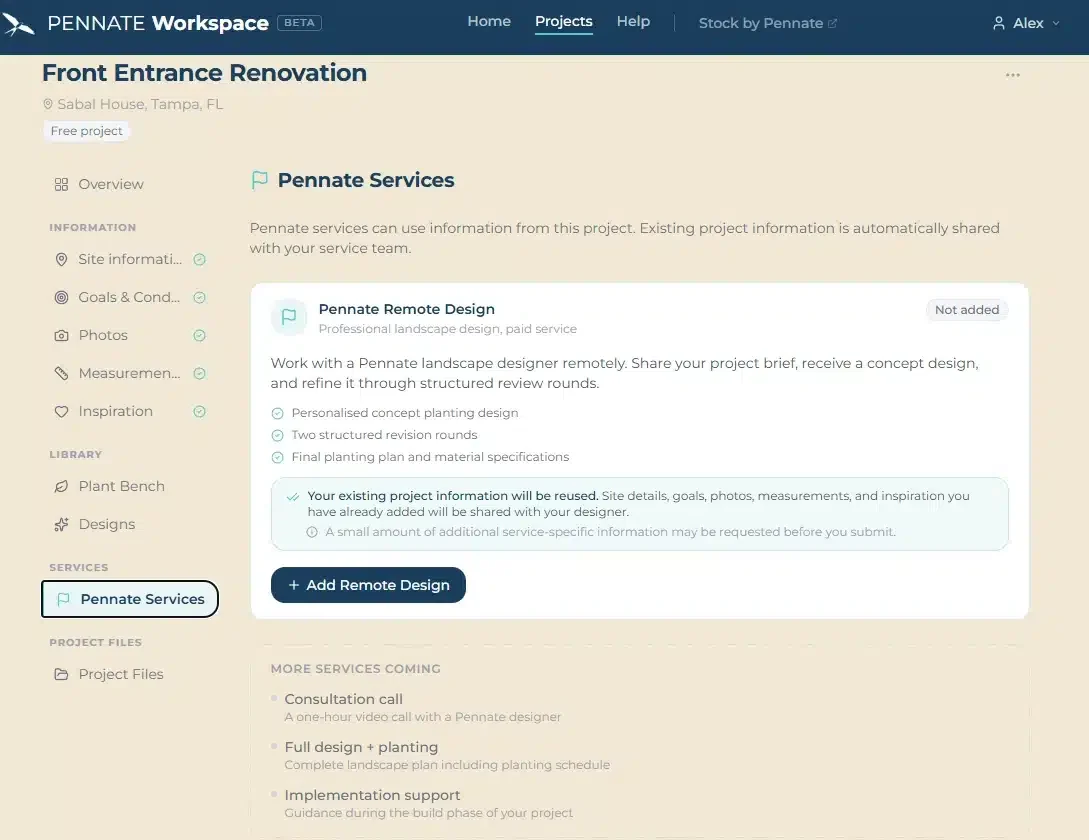
Pennate Services
Add professional design or advisory when the project needs it. Everything already collected stays with the project.
You must be logged in to post a comment.