
PENNATE / TOOLS
Tools for better landscape decisions.
Discover plants, organize a project, and carry useful information forward into design.
Each Pennate tool has a specific job. Use the one you need now. Useful information can stay connected as the project develops.
PENNATE TOOLS
Three parts of the same system.
PROJECT RECORD
Workspace
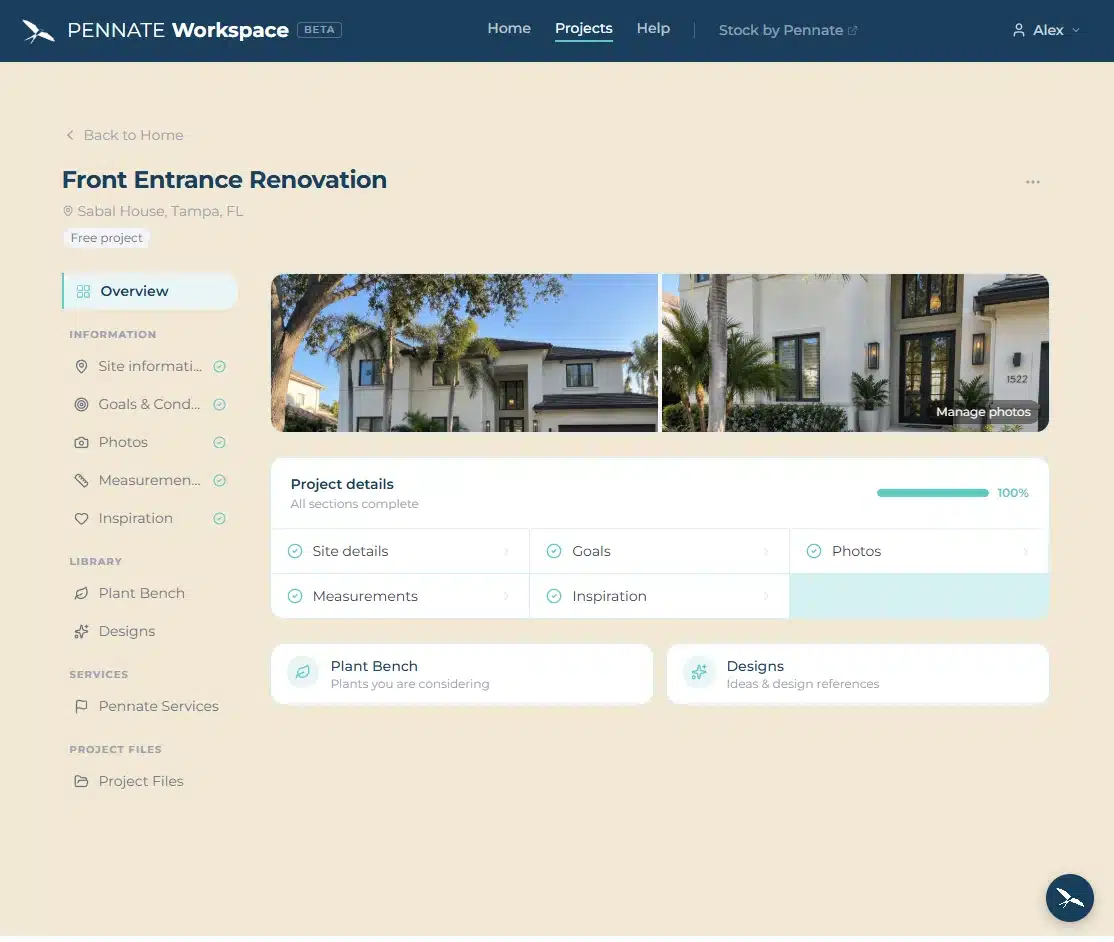
Organize goals, site conditions, photos, measurements, inspiration, plant preferences, files, communication, and Pennate design work in one project record.

PLANT DISCOVERY
Stock
Browse plants visually and save the ones that interest you. Saved preferences can then be viewed and organized inside a Workspace project.

DESIGN / SPECIFICATION
Studio
Studio is the developing design layer for searching, evaluating, and specifying landscape elements using Pennate’s structured project and plant data.
In development
CONNECTED SYSTEM
Keep useful information moving.
Stock captures plant preferences. Workspace gives those preferences a project context. Studio is being developed to use that context during design and specification.
You do not need to use every tool. The value is that useful information does not have to be recreated when a project moves to its next stage.
You must be logged in to post a comment.